
🍽️
Make ordering easier
Give guests options—from counter service to table QR and online ordering, depending on your setup.
Merpacc helps restaurants, cafés, takeaways and hotels manage sales, customer ordering, kitchen orders, inventory, recipe costing and business reporting in one connected platform. Explore restaurant POS and hotel management solutions designed for businesses in Sri Lanka.

Merpacc connects front-of-house service with stock management and management reporting, helping your team spend less time chasing information and more time serving customers.
Give guests options—from counter service to table QR and online ordering, depending on your setup.
Organise purchasing, suppliers, stock movements and low-stock follow-up in one workflow.
Use recipes and ingredient costs to assess the cost and margin of menu items.
Review sales trends, stock alerts and outlet performance from management dashboards.
Merpacc is a business management platform for restaurants, cafés, takeaways and hotels. Use the configured modules to record sales, manage orders, monitor inventory, review ingredient costs and understand business performance.
Record counter sales, process bills and support configured restaurant service workflows from the point of sale.
Let customers browse menus and submit orders from their phones using the available QR ordering setup.
Send order details to configured kitchen displays or kitchen order ticket printers to help organise preparation.
Track stock, purchasing and ingredient usage, and assess menu-item costs using maintained product and recipe data.
Manage food and beverage sales, restaurant operations, inventory, purchasing and business reporting through a configured management system. Merpacc helps hospitality teams connect operational transactions with management information.
Discuss your outlet structure, reporting requirements, and the modules needed for your hotel or hospitality business when arranging a demonstration.
Request a Hotel Software DemoLooking for a restaurant POS system in Sri Lanka? Merpacc provides business management software for restaurants, cafés, takeaways and hospitality businesses that need organised sales processing, inventory control, ordering workflows and management reports.
Contact our team to discuss your outlets, required modules, setup and subscription options.
Discuss Your RequirementsDifferent guests prefer different ordering journeys. Choose the options that suit your business, and help your team handle orders in a more organised way.
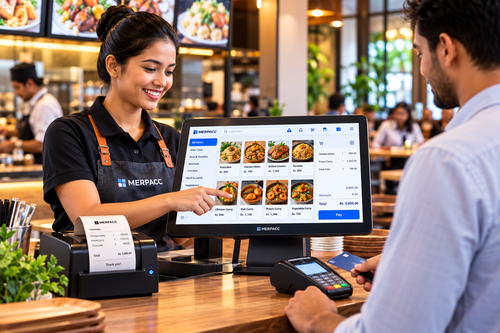
Staff select items, record the sale and process payment through the POS. A consistent workflow helps keep the counter moving during busy periods.
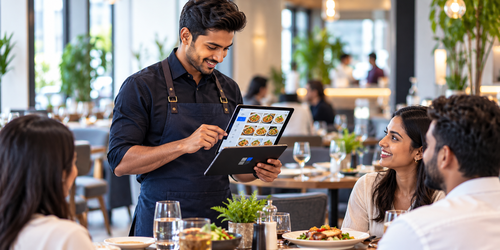
Where configured, staff can enter table orders on a phone or tablet and send the details into the order workflow.
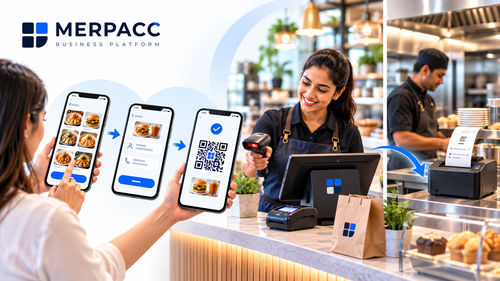
Guests browse the menu, enter their name and mobile number, place an order and show the order QR at the counter. The cashier scans it, takes payment and closes the bill; the kitchen ticket can then print through the configured workflow.
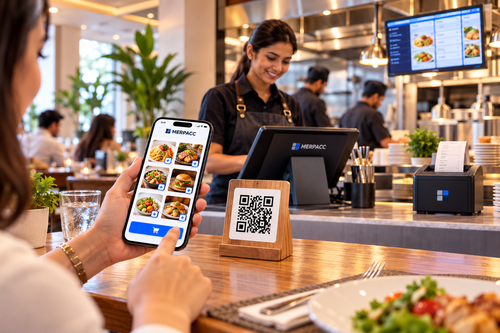
Customers scan the table-specific QR, browse the menu and submit their order from their own phone. Staff can review and process the order through the configured POS and kitchen workflow.
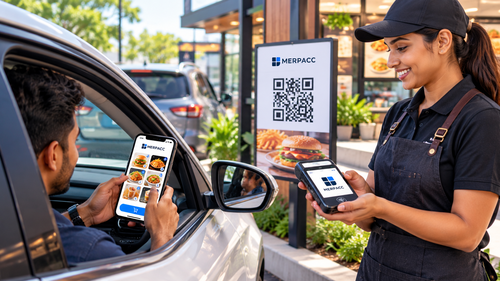
For suitable locations, a customer can order using a QR code and a mobile cashier can visit the vehicle to collect payment on a phone or mPOS device.
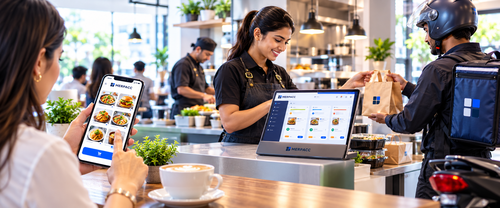
Customers place an order through an enabled online menu or ordering link. Staff can verify the order and arrange preparation, pickup or delivery.
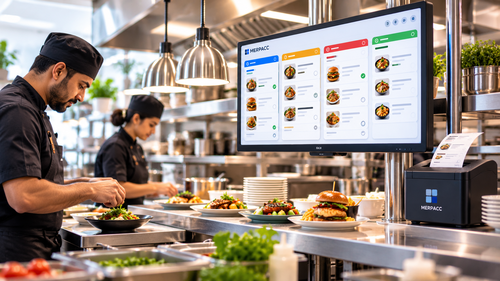
Orders can be displayed on a kitchen screen or sent to the configured KOT printer, giving kitchen staff clearer order details and priorities.
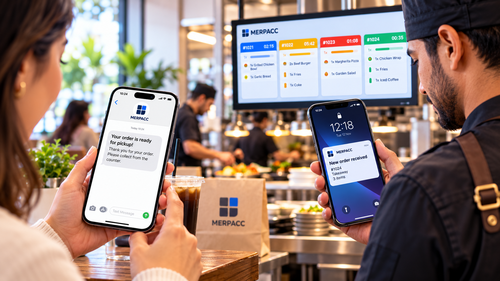
Branded SMS alerts can notify customers about order progress and, where configured, alert staff to incoming orders or updates.
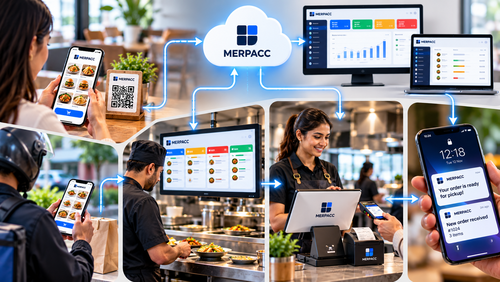
Bring order capture, kitchen preparation and bill settlement into a consistent workflow, based on the modules and processes selected for your business.
Keep purchase orders, supplier information, stock receipts and inventory records connected to everyday operations.
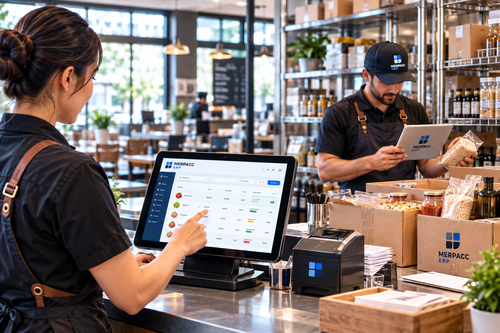
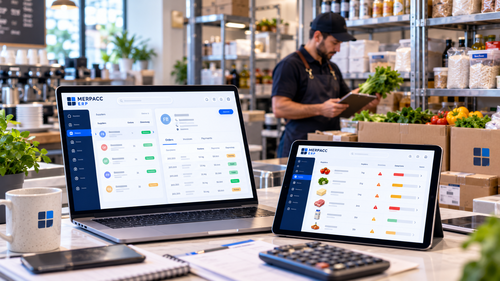
Recipe or Bill of Materials (BOM) records connect menu items with the ingredients used to prepare them. With accurate recipes and costs, you can better understand how sales affect stock and cost of goods sold.
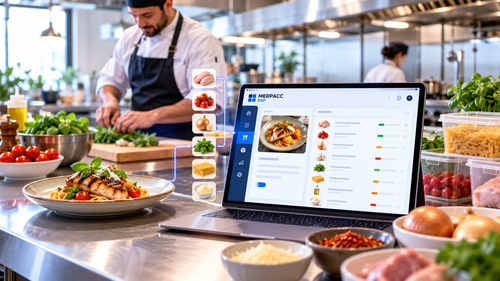
Record the ingredients and quantities used for each menu item to establish a basis for costing and stock deduction.
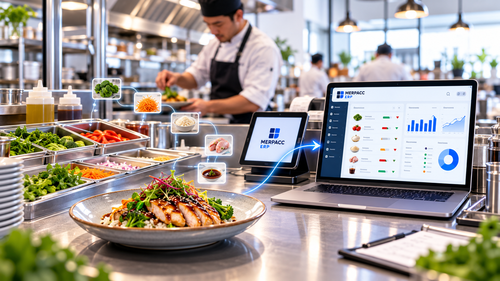
When BOM processing is enabled and a sale is recorded, the configured workflow can deduct the corresponding ingredient quantities from stock.
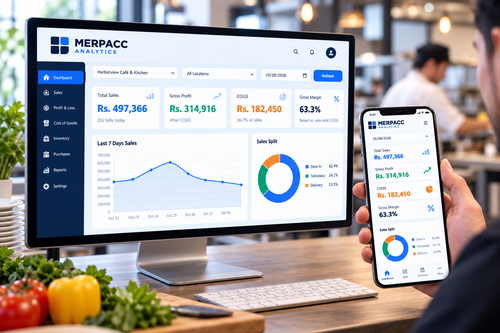
When the accounting and BOM setup is configured correctly, cost of goods sold can be reflected in the relevant profit and loss reporting—helping owners review sales alongside costs.
Set the ingredient list and quantities for each menu item.
The POS records the dish sold and the bill.
Configured BOM processing reduces the relevant ingredients.
Configured cost posting records cost of goods sold.
Use cost and sales reports to investigate menu performance.
Merpacc Analytics brings key sales and operational indicators into dashboards designed to help owners review performance and decide where to act next.
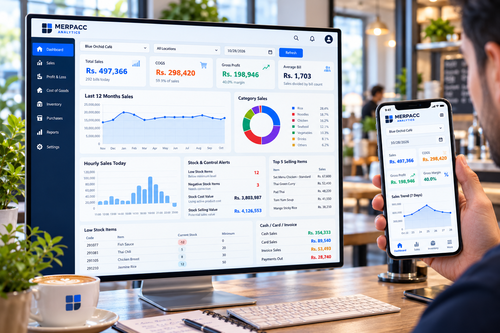

Use sales trends, product performance and operating indicators to support daily, weekly and monthly reviews.
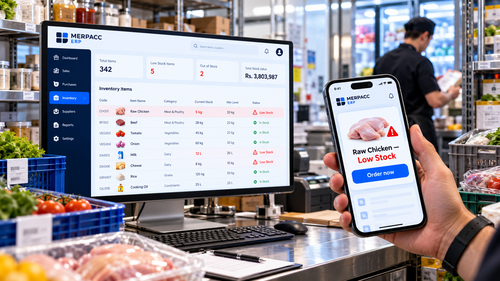
Use configured low-stock alerts and management checks to follow up on ingredients or results that need attention.
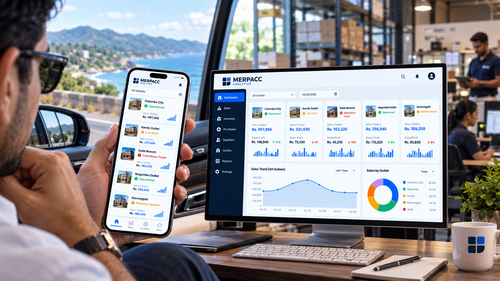
For multi-outlet businesses, configured dashboards can help compare sales and operating indicators by location.
Depending on your selected package and setup, Merpacc can support additional business processes alongside POS and inventory.
Organise invoices, expenses, payments and financial reporting.
Keep customer details and support loyalty and repeat business.
Support repeat visits and customer reward programmes where enabled.
Manage menu information and extend ordering online with the appropriate add-on.
Manage user access and responsibilities according to your configuration.
Review sales, stock, purchasing and other business information.
Use configured order or stock alerts to prompt timely follow-up.
Plan staff training and support arrangements for a smoother rollout.
Connect compatible biometric attendance devices directly to Merpacc ERP. Attendance events flow in real time, helping managers spot late arrivals, missing staff and attendance exceptions without waiting for manually downloaded scanner reports.
Face or fingerprint verification helps confirm that the right employee is recording attendance.
See clock-ins and clock-outs as they happen, with a clearer view of who is currently available for a shift.
Highlight late arrivals, missing clock-ins and unusual attendance patterns for prompt follow-up.
Reduce reliance on USB downloads and manual report editing. Device compatibility and setup are confirmed during implementation.
Start with the level of capability you need today, then discuss the right setup for your operation with a Merpacc representative.
For smaller operations looking for core POS and inventory tools.
For growing restaurants and hotels needing broader control.
For advanced operations and multi-outlet needs.
For larger operations and more extensive requirements.
Monthly subscription rates shown above are the rates supplied for this landing page. Setup fees, package limits, included modules, hosting and optional-feature eligibility should be confirmed in the final quotation.
Arrange a guided demonstration focused on your service style, ordering process, stock control and reporting needs. We can then recommend a suitable package and prepare a tailored quotation.
Not necessarily. Available modules depend on the selected package, configuration and any optional features. Your proposal will confirm what is included.
Merpacc supports several ordering approaches where the relevant modules are enabled and configured for your business.
Inventory and recipe/BOM costing workflows can help track stock and estimate menu-item costs when the underlying data is maintained accurately.
Multi-outlet functionality and reporting depend on the package and setup. Discuss the number of locations and reporting needs during your demo.
A restaurant point-of-sale (POS) system records sales and payments and can support order entry, billing, and configured kitchen workflows. Merpacc combines POS functions with available inventory and management reporting modules.
Merpacc supports QR-based ordering options where the relevant modules are enabled. Depending on the setup, customers can browse a menu and submit an order from a mobile phone.
Merpacc provides inventory and recipe-costing workflows where configured. Reliable results depend on accurate stock records, purchasing data, ingredient quantities and recipe maintenance.
Multi-outlet management and consolidated reporting depend on your package and configuration. Discuss the number of outlets and the reports you need when requesting a demonstration.
Pricing depends on the selected package, modules, setup and any optional services. Review the packages on this page or contact Merpacc for a quotation suited to your business.
Orders can flow to configured kitchen displays or kitchen order ticket printers, depending on the modules and workflow selected for your business.
Explore our Merpacc business management platform , learn about our POS and ERP solutions , or contact Merpacc to arrange a demonstration .